

September 5, 2026
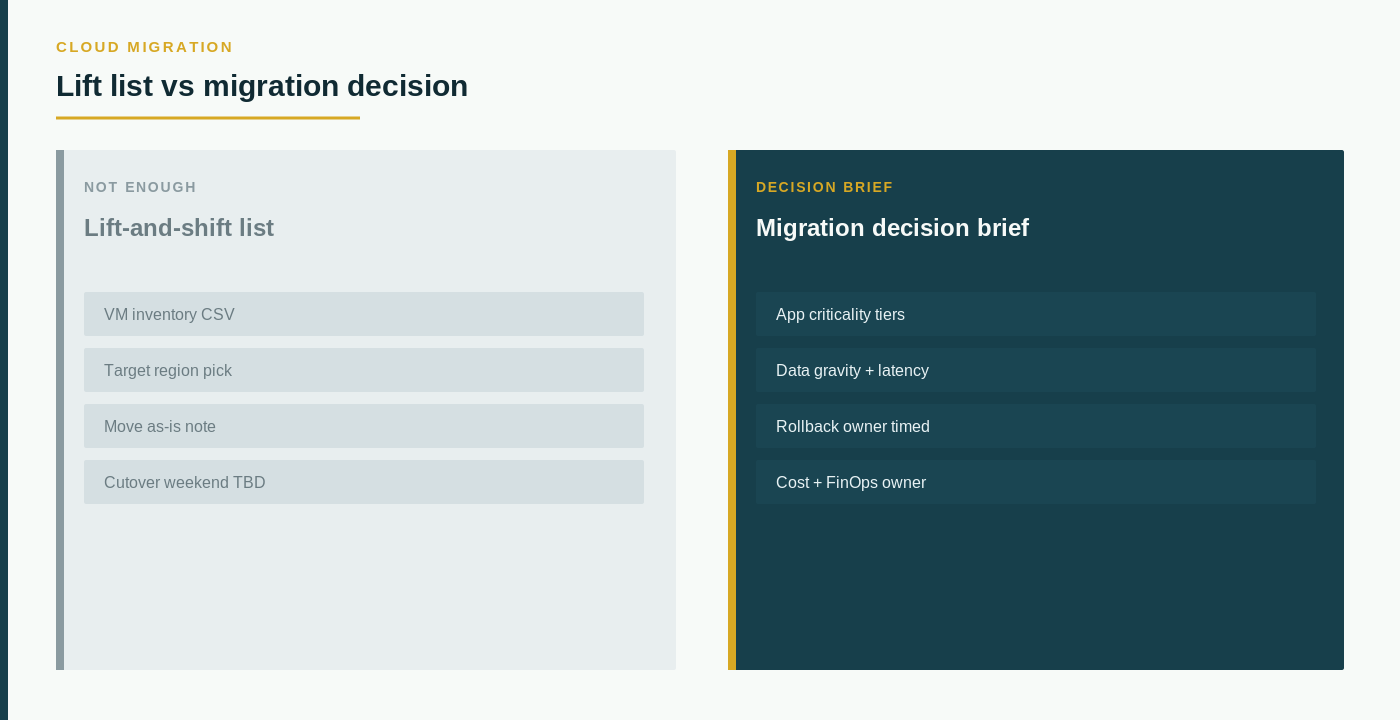
Concise answer: A lift-and-shift list is an inventory of systems someone intends to move with as little redesign as possible. A cloud migration checklist is an operating decision: which workloads belong in the move, which dependencies will break, who owns the environment after cutover, what "done" means for security and cost, and which dates lock the work. Treat the list as one input. Do not treat it as the checklist.
Migration programs stall when the team can name every server and still cannot name the business event that would stop the move.
The central principle is simple: a move list is an inventory artifact, while cloud migration is an operating decision. Those questions are related. They are not interchangeable.
What a lift-and-shift list actually tells you
A lift-and-shift list usually starts as a spreadsheet of virtual machines, applications, or "in-scope" servers. It can be useful. It tells you a candidate set and often a proposed sequence.
It does not tell you whether those candidates should move, in that shape, on that date.
A row on the list may represent:
- An application that still has an owner.
- An application that has no owner but still has a server.
- A database that several applications share.
- A batch job that only appears at month-end.
- A dependency on identity, file shares, printers, or a partner connection that is not on the list.
- A system that cannot move until a contract, a data-residency rule, or a change window is resolved.
A hostname is not a workload. A proposed wave is not a readiness review. The useful question is not "What can we copy first?" It is "Which workloads are in scope, what must remain true after the move, and what evidence would show the environment is ready?"
The cloud assessment page is the right place to start when the list is still a candidate set rather than a decision.
Separate the move list from the migration checklist
A lift-and-shift list does not show whether the business can operate after the copy.
Important questions remain open even when every server has a row:
- What is the business reason for moving now (renewal, exit, capacity, resilience, a project that depends on the new environment)?
- Which applications are in scope, which are out of scope, and who can change that list?
- Which data stores, identity systems, and integrations must move with the application or stay behind?
- Who owns security, backup, monitoring, and incident response after cutover — not during the copy?
- What is the rollback path, and who is authorized to use it?
- Which workloads cannot be interrupted, and which can accept a defined window?
- How will cost be attributed after the move, and who reviews the first invoices against the plan?
- Which residency, retention, and access rules apply to the data in motion?
A server list cannot answer these questions because it is not designed to capture them.
Compare the lift-and-shift list with the checklist
| Decision area | What a lift-and-shift list may show | What the migration checklist must document |
|---|---|---|
| Decision identity | A set of hosts to copy | Why the move exists, who owns the outcome, and whether redesign is in or out of scope |
| Workload inventory | Servers and sometimes apps | Applications, data stores, identities, batch jobs, and partner connections |
| Dependencies | Occasional notes | What breaks if a shared database, identity path, or file service is left behind |
| Operating ownership | A technical owner of the copy | Who runs, secures, backs up, and pays for the environment after cutover |
| Risk and rollback | A wave date | Acceptable downtime, test evidence, rollback authority, and a named go/no-go |
| Timing | A proposed sequence | Renewals, change windows, peak seasons, and the date that actually locks the work |
Two lists can contain the same hostnames and still describe different programs. One is a copy of today's failures into a new bill. The other is a sequenced change with owners and exit criteria.
Inventory workloads before you sequence waves
Start with the work, not the hypervisor export.
Write one record per application or service that might move:
- Business purpose and the users or processes that depend on it.
- Data stores, identity, and integrations that must remain available.
- Current operating cost components you can actually evidence (infrastructure, software, support, labor) — ranges are acceptable; invented precision is not.
- Security and backup owners today, and the proposed owners after the move.
- Constraints: change windows, peak seasons, contracts, data location, and systems that cannot stop.
- Comparison criteria for "move as-is," "replatform," "retire," and "leave in place."
Do not put credentials, network diagrams with secrets, customer files, or vulnerability exports into the first checklist. Capture owners, evidence locations, and what you will request under a controlled exchange later.
The cloud migration readiness checklist is the companion when the next step is workloads, dependencies, and decision timing. The cloud provider evaluation page belongs after those rows exist, not as a substitute for them.
Questions that belong in the first migration meeting
Ask the incumbent operator — and any migration partner — to show, not describe:
- Which applications on the list have a named business owner who can accept cutover risk.
- Which shared services (identity, databases, file, batch, partner links) are missing from the list.
- What evidence would prove a wave is ready: restore test, identity test, a named rollback, and a cost owner for the first invoice.
- What happens if the copy succeeds and the application still cannot be operated, secured, or attributed to a budget.
- Which items should be retired or left in place rather than moved.
If those answers are a host export and a promised wave next month, you do not have a cloud migration checklist. You have a lift-and-shift list.
What this page is not
This page is not a provider comparison, not a landing-zone design, and not a claim that any environment already completed this review. It is not a cost baseline, not a reserved-capacity shopping list, and not a token or usage invoice. It does not name cloud suppliers. It does not treat "copy the estate" as proof that the business is ready to operate in the new environment.
Use the cloud assessment to keep the decision frame, write workloads and owners on the readiness checklist, then request the next conversation. If you need a structured intake after the brief exists, use contact. Related buying questions also sit on FAQs.