
September 12, 2026
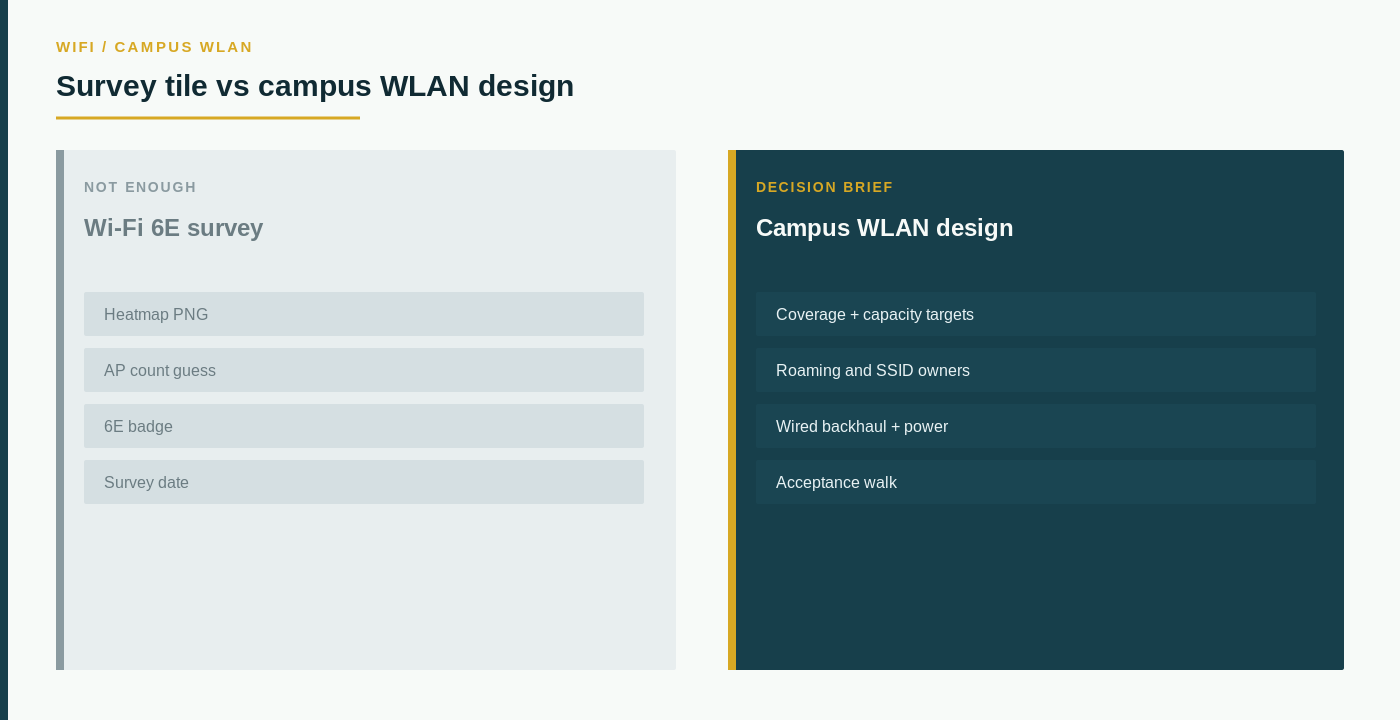
Concise answer: A Wi-Fi 6E survey is a snapshot — a heatmap tile, an AP count, a radio generation badge, a date someone walked the floor. A campus WLAN design is an operating decision: which coverage and capacity must be true at the desk and the aisle, who owns roaming and SSIDs, what the wired backhaul and power must deliver, and what evidence means the floor is accepted. Treat the survey as one input. Do not treat it as the design.
Campus walks are good at coloring a map. They are not designed to tell you whether the next SSID still matches the work.
The central principle is simple: a heatmap is a survey artifact, while campus WLAN design is an operating decision. Those questions are related. They are not interchangeable.
This page is a campus WLAN design brief, not a radio-generation flyer. A 6E badge, a predictive heat map, or a vendor AP count can inform the walk — they do not replace the design. Do not collapse this note into “A Rate Card Is Not a Mobility Provider” or “A Speed Test Is Not Fixed Wireless.” Those are path and handset conversations. This one is about the floor you are about to light.
What a heatmap tile actually tells you
A heatmap tile usually arrives as a predictive PNG, a post-install survey, or a “we already walked it on 6E” slide. It can be useful. It tells you a modeled or measured signal at a moment.
It does not tell you whether capacity, roaming, or ownership will survive a Monday morning.
A heatmap tile may represent:
- A predictive model that never met the steel or the racking.
- A walk that measured signal and ignored concurrent clients.
- An AP count that assumes the same backhaul and power as the drawing.
- A 6E badge that does not name which devices will actually associate.
- A survey date that expired when the furniture moved.
A color is not a capacity target. A radio generation is not an SSID owner. The useful question is not “How green is the map?” It is “Which coverage, capacity, roaming, and acceptance rows must be true before we treat this floor as designed, and what evidence would we accept?”
The network modernization roadmap is the right place to reset the campus decision before you argue about a radio generation.
Separate the survey from the WLAN design
A heatmap tile does not show whether the campus WLAN is operable.
Important questions remain open even when the map looks green:
- Which rooms, aisles, and outdoor edges are in scope, and which are known-unknown?
- What concurrent client and application load the floor must carry, not only RSSI?
- Who owns SSIDs, roaming domains, and guest versus corporate separation?
- What the switch, PoE, and uplink must deliver when every AP is at the survey count?
- How a failed AP or a failed closet is noticed, and who walks the floor after hours?
- What evidence means accepted — a heatmap, a client test, or a named application?
A survey cannot answer these questions because it is not designed to capture them.
Compare the survey with the design brief
| Decision area | What a heatmap tile may show | What the campus WLAN design must document |
|---|---|---|
| Decision identity | A colored floor | Whether this is a refresh, a new building, or a density fix |
| Coverage | RSSI / SNR tiles | Rooms in scope, dead edges, and outdoor work that still needs a path |
| Capacity | AP count | Concurrent clients, voice/video, and the application that must stay up |
| Roaming / SSID | Sometimes a SSID name | Who owns roaming domains, guest split, and a sticky-client exception |
| Underlay | Assumed PoE | Switch, power, and uplink that the AP count actually requires |
| Acceptance | Survey date | Who walks the real workflow, and what evidence they sign |
Two surveys can show the same green and still describe different floors. One may have walked the aisle at load. The other may have modeled an empty room.
Write the design before you treat the tile as done
Start with the work, not the radio generation.
Write one record for the campus WLAN:
- Decision identity: refresh, new floor, density fix; why now; who owns the outcome.
- Coverage and capacity targets a user would recognize, not a legend.
- Roaming and SSID owners, including guest and IoT if they share the air.
- Wired backhaul, PoE, and closet ownership that must be true on day one.
- Acceptance: the walk that proves the application, not only the tile.
The SD-WAN assessment is the companion when the campus also has to talk to other sites. The business mobility provider page is the companion when the open question is still handsets, not the floor.
Questions that belong in the first meeting
Ask the incumbent or a challenger to show, not describe:
- Which rooms they treated as covered, and which they treated as “the heatmap already proves 6E.”
- A capacity target tied to a real workflow, not an AP count.
- Who owns roaming and SSIDs after hours, and what they leave behind.
- What a later reviewer would receive as design proof — not a heatmap tile and a promised wireless week.
If those answers are a heatmap tile and a 6E badge, you do not have a campus WLAN design. You have a survey.
What this page is not
This is not an AP ranking, not a Wi-Fi 6E product sheet, and not a claim that The Data Partner already designed anyone’s campus after a catalog view. Skip incentive talk and skip any suggestion that a survey tile defines a design. Write coverage, capacity, roaming, and acceptance for the floor you are buying. Then use the live companions, or contact The Data Partner on that packet. Broader buying questions sit on the FAQs page.