

September 18, 2026
Concise answer: A risk spreadsheet is a snapshot — color-coded rows, a likelihood-times-impact formula, an “owner TBD” cell, an update-Friday note. A cloud migration risk register is an operating decision: which workloads and cutovers are in scope, who owns freeze and rollback, what evidence a later reviewer will accept, and how a failed cutover is noticed after hours. Treat the spreadsheet as one input. Do not treat it as the register.
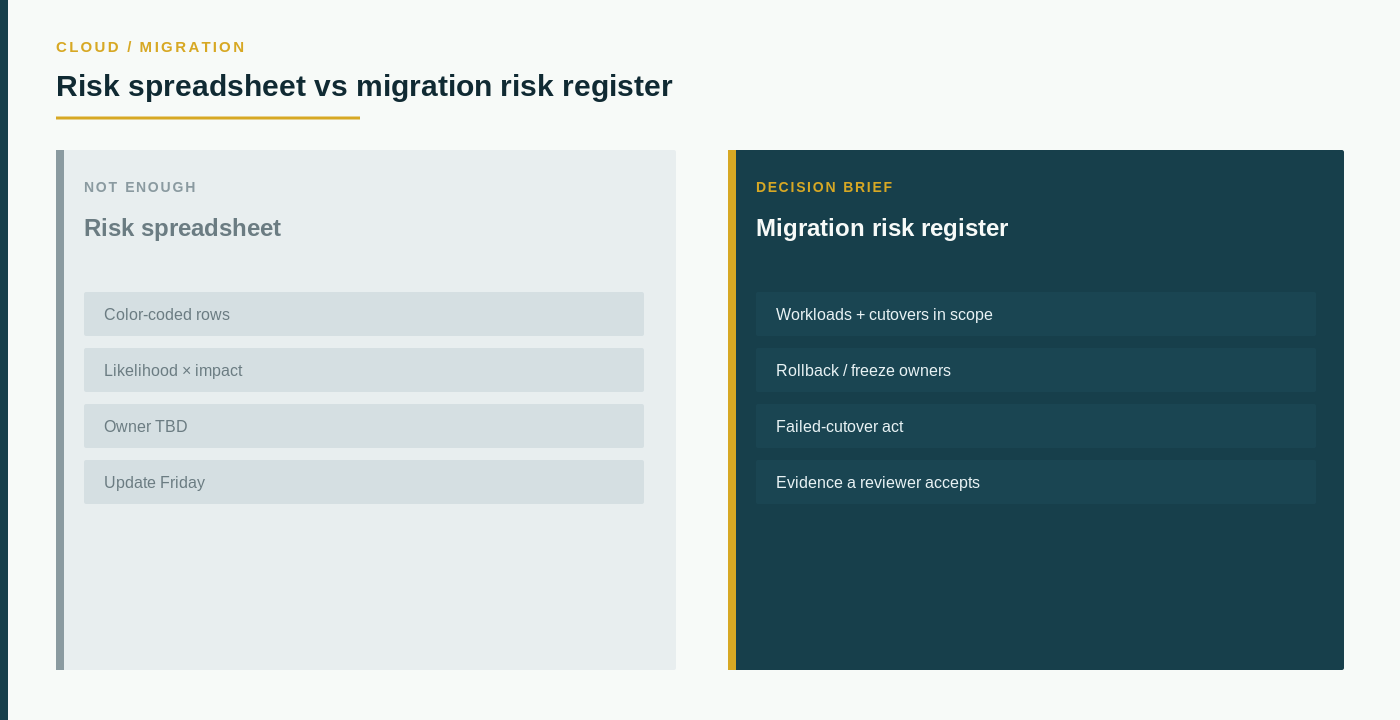
Program offices are good at coloring cells. They are not designed to tell you whether Monday’s cutover path still works when a dependency was wrong.
The central principle is simple: a risk spreadsheet is a tracking artifact, while a migration risk register is an operating decision. Those questions are related. They are not interchangeable.
This page is a cloud migration risk register template brief, not a PMO flyer. A color-coded sheet, a likelihood score, or an update timestamp can inform the conversation — they do not replace the register. Do not collapse this note into “A Quote Spreadsheet Is Not a Cloud Renewal Checklist” or “An RPO Slide Is Not a DRaaS Requirements Brief.” Those are renewal and recovery conversations. This one is about the migration risk path you are about to keep or replace. Do not invent a live /cloud-migration-risk-register-template/ page — that slug is not published; use the cloud-migration and assessment companions instead.
What a risk spreadsheet actually tells you
A risk spreadsheet usually arrives as a shared workbook, a steering deck, or a “we track risk” slide. It can be useful. It tells you that someone colored a row at a moment.
It does not tell you whether rollback ownership, freeze windows, or after-hours failed-cutover acts will survive a real migration wave.
A risk spreadsheet may represent:
- Color-coded rows that never named which workloads and cutovers are in migration scope.
- A likelihood-times-impact formula that ignores application dependencies and data freeze order.
- An “owner TBD” cell with no rollback or freeze owner timed for after hours.
- An update-Friday note that expired when the wave plan changed.
- A sheet that assumes the same network and identity posture as the drawing.
A spreadsheet is not migration scope. A color is not a rollback owner. The useful question is not “How red is the sheet?” It is “Which workloads, freeze owners, rollback acts, and evidence rows must be true before we treat this as a migration risk register, and what proof would we accept?”
The cloud migration page is the right place to reset the migration path before you argue about a spreadsheet.
Separate the spreadsheet from the risk register
A risk spreadsheet does not show whether the migration program is operable.
Important questions remain open even when the sheet looks complete:
- Which workloads and cutovers are in scope, and which are known exceptions?
- Who owns freeze, rollback, and communicate — including after hours?
- What happens when a dependency was wrong, a data freeze slipped, or a cutover fails mid-wave?
- How a failed cutover is noticed, and who walks the act after hours?
- What evidence means accepted — a color cell, a ticket, or a named rollback walk?
- Whether assessment and exit claims match the path operators actually take.
A spreadsheet cannot answer these questions because it is not designed to capture them.
Compare the spreadsheet with the migration risk register
\1\1\1**\1**\1\1**\1**\1\1**\1**\1\1**\1**\1\1**\1**\1\1**\1**\1\1
Two sheets can show the same red count and still describe different migration programs. One may have rolled back a failed cutover at load. The other may have refreshed a logo.
Write the register before you treat the spreadsheet as done
Start with the work, not the color legend.
Write one record for cloud migration risk register:
- Decision identity: new wave, re-plan, or failed-cutover fix; why now; who owns the outcome.
- Scope of workloads and cutovers an operator would recognize, not a legend.
- Freeze, rollback, and communicate owners, including after-hours act.
- Path assumptions that must be true on day one — dependencies, data freeze, identity, network.
- Acceptance: the rollback or freeze walk that proves the path, not only the spreadsheet.
The cloud assessment page is the companion when the open question is still what “ready to migrate” covers. The cloud provider evaluation page is the companion when the migration sits next to a provider keep-or-replace decision. The data center exit readiness plan page is a companion when the risk register has to survive an exit and colo path review.
Questions that belong in the first meeting
Ask the incumbent or a challenger to show, not describe:
- Which workloads and cutovers they treated as in scope, and which they treated as “the spreadsheet already proves it.”
- A freeze and rollback owner timed for after hours, not a color cell.
- Evidence a later reviewer would receive as register proof — not a likelihood chart and a promised hardening week.
- What a failed-cutover or wrong-dependency path looks like on the first Monday after the wave.
If those answers are a risk spreadsheet and an update-Friday note, you do not have a cloud migration risk register. You have a spreadsheet.
What this page is not
This is not a migration ranking, not a cloud product sheet, and not a claim that The Data Partner already migrated anyone’s estate after a catalog view. Skip incentive talk and skip any suggestion that a color-coded sheet defines a register. Write scope, owners, evidence, and acceptance for the migration path you are buying. Then use the live companions, or contact The Data Partner on that packet. Broader buying questions sit on the FAQs page.